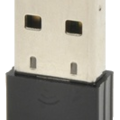
Raspberry Pi 3 Model B, Raspberry Pi 3 Model B+의 Onboard WiFi 성능에 대해서 부정적인 글을 상당수 발견하였다. 나도 사용해보니 잘 안 되길래 ipTime N150UA USB 무선 동글을 구매하였다.
그런데... USB 포트에 꽂고 리부팅을 해보니 , 디바이스를 전혀 잡지를 못한다.
일단 디바이스 드라이버를 구해서 삽질 중이다.
아래 사이트에서 자료를 참고하고,
http://www.linuxwolfpack.com/raspberrypi-ralink-usbwifi.php
Linux Wolf Pack - Linux Resources Help Software Articles and More
Raspberry Pi Project Installing A Ralink USB WiFi Dongle Raspberry Pi does not have a standard pci slot to install a wifi card but it will power most usb ones. I purchased a Ralink usb wifi dongle and this is how I got it up and running. You can purchase these in a lot of places but I got mine at ...
www.linuxwolfpack.com
시키는대로 설정을 한 후에 리부팅을 하니 아래와 같은 결과가 나온다.
ubuntu@ubuntu:~$ ifconfig
eth0: flags=4099<UP,BROADCAST,MULTICAST> mtu 1500
ether b8:27:eb:8f:c2:4b txqueuelen 1000 (Ethernet)
RX packets 0 bytes 0 (0.0 B)
RX errors 0 dropped 0 overruns 0 frame 0
TX packets 0 bytes 0 (0.0 B)
TX errors 0 dropped 0 overruns 0 carrier 0 collisions 0
lo: flags=73<UP,LOOPBACK,RUNNING> mtu 65536
inet 127.0.0.1 netmask 255.0.0.0
inet6 ::1 prefixlen 128 scopeid 0x10<host>
loop txqueuelen 1000 (Local Loopback)
RX packets 184 bytes 14661 (14.6 KB)
RX errors 0 dropped 0 overruns 0 frame 0
TX packets 184 bytes 14661 (14.6 KB)
TX errors 0 dropped 0 overruns 0 carrier 0 collisions 0
wlan0: flags=4099<UP,BROADCAST,MULTICAST> mtu 1500
ether b8:27:eb:da:97:1e txqueuelen 1000 (Ethernet)
RX packets 0 bytes 0 (0.0 B)
RX errors 0 dropped 0 overruns 0 frame 0
TX packets 0 bytes 0 (0.0 B)
TX errors 0 dropped 0 overruns 0 carrier 0 collisions 0
wlan1: flags=4163<UP,BROADCAST,RUNNING,MULTICAST> mtu 1500
inet 192.168.88.108 netmask 255.255.255.0 broadcast 192.168.88.255
inet6 fe80::8a36:6cff:fefc:4813 prefixlen 64 scopeid 0x20<link>
ether 88:36:6c:fc:48:13 txqueuelen 1000 (Ethernet)
RX packets 1484 bytes 172674 (172.6 KB)
RX errors 0 dropped 67 overruns 0 frame 0
TX packets 83 bytes 6330 (6.3 KB)
TX errors 0 dropped 0 overruns 0 carrier 0 collisions 0
이것은 실패이다. 흠... 원인을 찾기 전에 일단 다른 일부터 해치우자 후훗!!
'실전 임베디드' 카테고리의 다른 글
| RecoverIt vs TestDisk 비교 (0) | 2019.10.10 |
|---|---|
| NEMA14 JK36HM12-0504 스텝모터 결선 안내 (0) | 2019.10.05 |
| R Pi Ubuntu VncServer + Desktop(데스크탑) 설정 (0) | 2019.10.05 |
| Raspberry Pi vsftpd 오류 확인 (0) | 2019.10.05 |
| Raspberry Pi 처음 설치 후 할 일 (0) | 2019.10.05 |


